ASUS ZenScreen MB16AC 15.6” Portable USB-C Monitor Review
Explore how the ASUS ZenScreen MB16AC offers portable convenience for remote workers with its easy setup and reliable performance.
Why It Stands Out
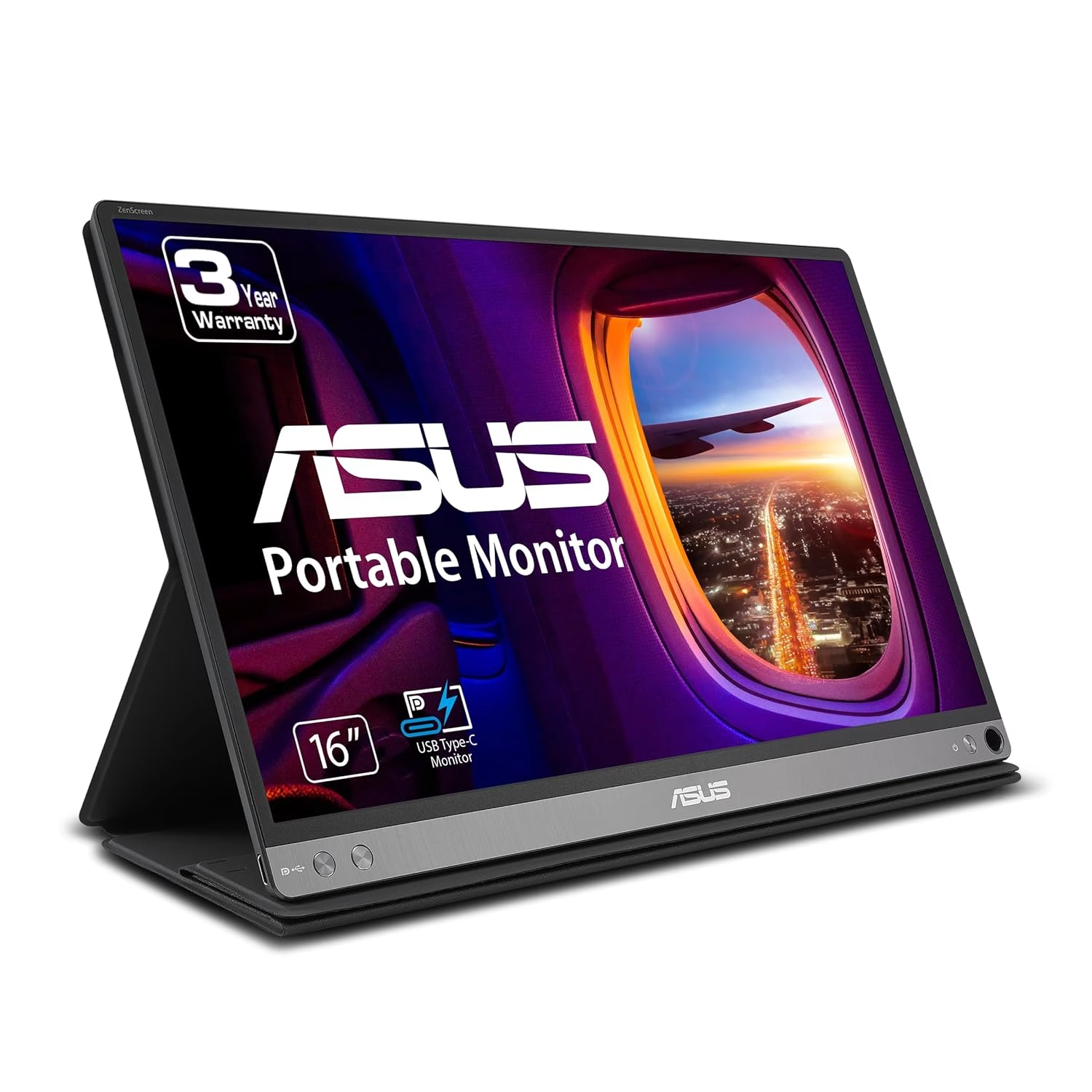
The ASUS ZenScreen MB16AC is a standout for traveling professionals needing a lightweight, portable monitor solution. At just 780g, it is highly portable and easy to set up with its USB-C connection, making it ideal for extending workspace for tasks like emails and text editing. However, its low brightness of 200 nits means it’s not suited for outdoor use or graphic design work due to its 74% sRGB color accuracy. Those who primarily work indoors will find it a valuable addition, though the folding smart cover stand can be tricky to manage.
The Moment I Realized I Needed More
There I was, hunched over my laptop in yet another airport lounge, struggling to balance multiple browser tabs and documents on a single screen. My workflow felt cramped, and productivity was slipping through my fingers like sand. It was in that moment of frustration that I knew I needed a portable solution to reclaim my efficiency.
Cramped Screens and the Need for Expansion
Remote workers often face the challenge of limited screen real estate, which can hinder productivity and increase strain during long work sessions. The desire for a portable, easy-to-use second screen becomes evident, particularly for those who frequently travel. The ASUS ZenScreen MB16AC emerges as a solution with its lightweight design and simple USB-C setup, allowing users to seamlessly expand their digital workspace without the hassle of complicated connections.
Expert Reviews and User Feedback
The ASUS ZenScreen MB16AC has garnered attention in ‘best portable monitors’ guides, praised for its ease of use and portability by mid-tier sites and user communities like Reddit. Users appreciate its reliable performance for indoor productivity, and the durable buttons and smart cover have been highlighted as quality aspects that ensure longevity compared to other models with less durable controls.
Living with the ASUS ZenScreen
Using the ASUS ZenScreen MB16AC feels like having a seamless extension of your laptop, thanks to its straightforward USB-C connection that eliminates lag. The IPS panel provides good viewing angles, and various OSD modes enhance versatility for different tasks. However, the low brightness and glossy screen may cause reflections in well-lit environments, and the smart cover stand, while protective, can be confusing to set up initially. Ultimately, the decision to embrace this monitor stems from its balance of portability and ease of use for indoor productivity.
While the Lepow Z1-Gamut offers the promise of portability and potential HDMI support, the absence of detailed reviews leaves much to speculation. The monitor’s ability to meet the demands of mobile professionals remains uncertain, and without specific user feedback, buyers must weigh the risks of investing in a product with limited public insights. Those seeking a reliable, tested option might find more assurance in alternatives with established reputations.
For those weighing options, the Lepow Z1-Gamut is another 15.6-inch portable monitor targeting similar needs but lacks detailed feedback on its reliability and ease of setup. While the ASUS ZenScreen excels in portability and simple USB-C connectivity, the Lepow might be an option for those needing HDMI support, though data is limited. The ASUS remains a better choice for indoor use with USB-C setups.
Recommended for Indoor Professionals
The ASUS ZenScreen MB16AC is highly recommended for indoor professionals and remote workers who need a lightweight, portable monitor to enhance their productivity on the go. Its simplicity and reliable performance make it a valuable addition to any remote work setup, particularly for those who prioritize ease of use and portability.