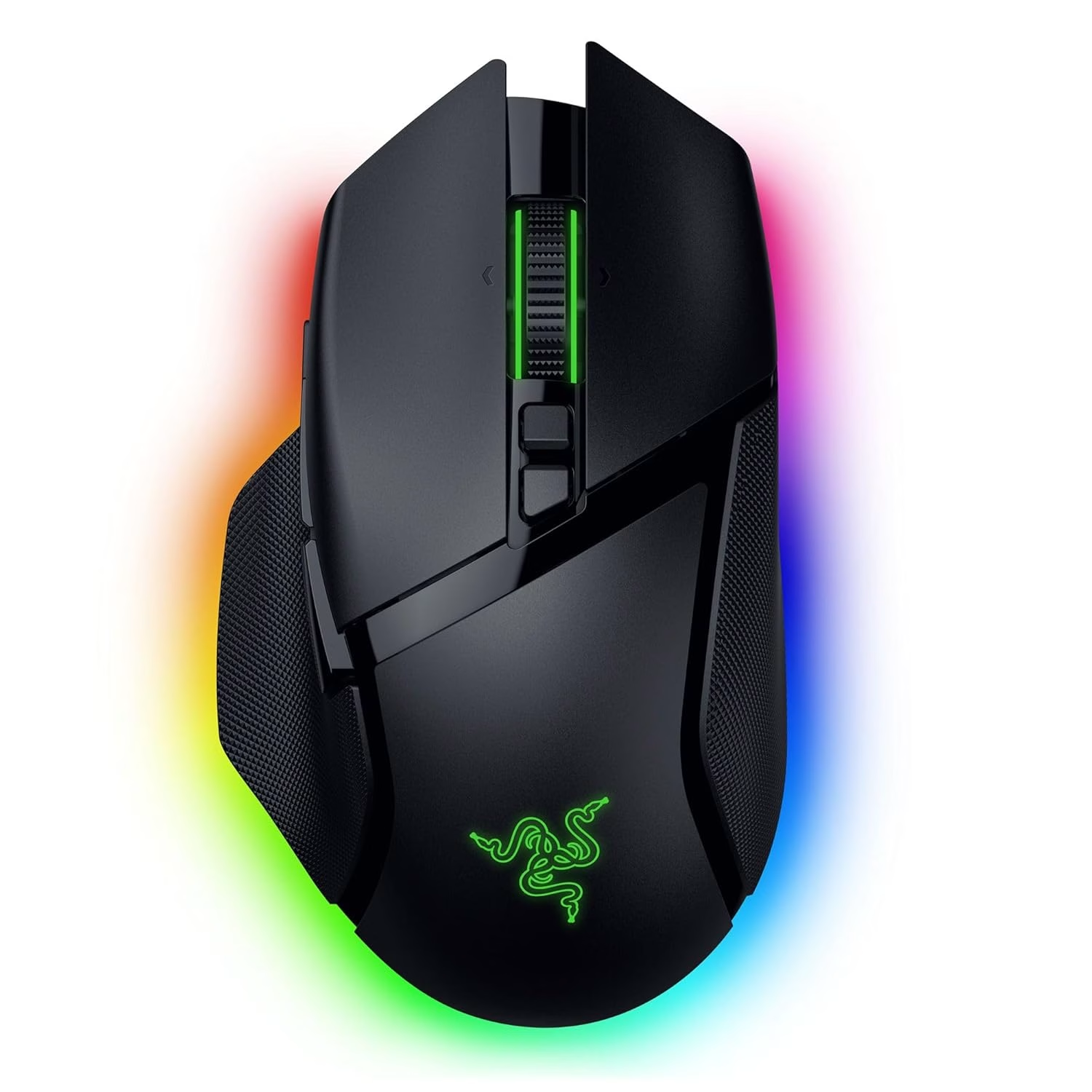
Razer Basilisk V3 Pro Wireless Gaming Mouse Review
Discover the Razer Basilisk V3 Pro’s standout customization and performance. Ideal for gamers seeking precision and flexibility.
Why It Stands Out
The Razer Basilisk V3 Pro Wireless Gaming Mouse shines as a top choice for gamers seeking both precision and flexibility. With its HyperScroll tilt wheel and Bluetooth connectivity, it caters to those who switch between work and play effortlessly. However, its heavier build and loud wheel noise might deter those who prioritize silent operation and lightweight design. Its value lies in its strong performance, making it less ideal for competitive gamers needing extensive battery life with RGB enabled.
The Moment of Realization
I used to dread the constant cable swapping between my work laptop and gaming rig, interrupting my workflow and gaming sessions. It was a cycle of frustration until I stumbled upon the Razer Basilisk V3 Pro. The seamless Bluetooth switching promised a reprieve from these daily disruptions.
From Frustration to Flexibility
Many gamers face the nuisance of toggling peripherals between devices, often leading to tangled cables and wasted time. The desire for a seamless transition between setups is strong, as it impacts both productivity and leisure. Enter the Razer Basilisk V3 Pro, offering Bluetooth connectivity that allows effortless switching, fulfilling the need for a smoother, more efficient experience.
Expert Reviews and User Insights
The Razer Basilisk V3 Pro has consistently been highlighted in buyer guides from 2024 to 2026 as a top-tier option for its performance and customization features. User feedback often praises its tactile feedback and the HyperScroll wheel’s versatility, although some note its heavier weight compared to lighter models. These insights underline its appeal to serious gamers, especially those favoring claw grip styles.
Living with the Razer Basilisk V3 Pro
In daily use, the Razer Basilisk V3 Pro offers a satisfying blend of control and comfort. The HyperScroll tilt wheel adapts seamlessly to different tasks, whether browsing or gaming. Bluetooth connectivity is a game-changer for multi-device users, although the inability to charge while in use without a dock is a slight inconvenience. Ultimately, the tactile button feedback becomes a crucial decision point for those seeking precision.
Daily Use with Logitech G502 X Plus
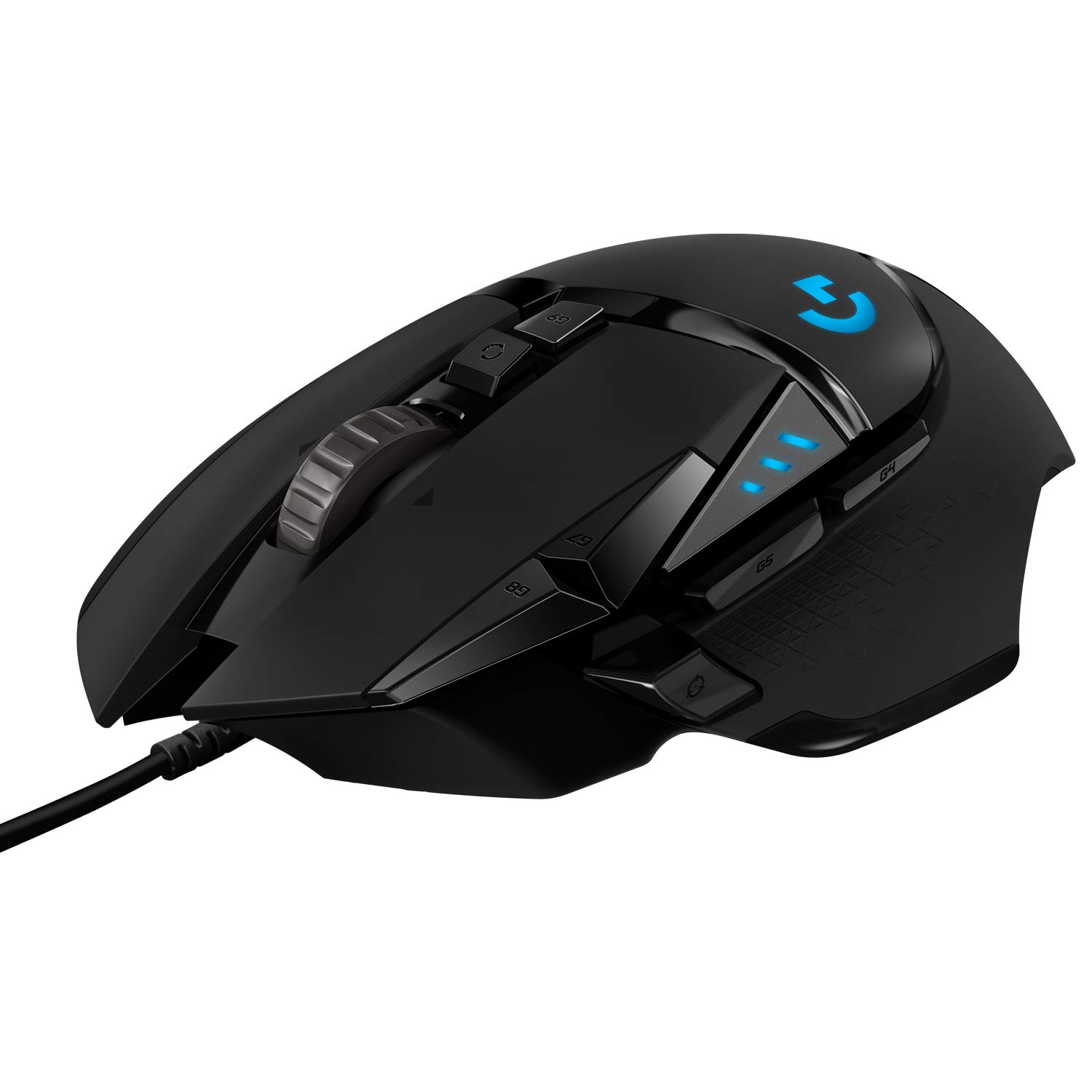
Logitech G502 X Plus Wireless Gaming Mouse
Using the Logitech G502 X Plus daily reveals its strengths in battery longevity and programmability. The 13 buttons provide extensive control options, essential for MMO players. However, the absence of Bluetooth connectivity may deter those needing multi-device flexibility. Ultimately, the decision to choose this mouse is driven by its unbeatable battery life and button versatility.
When to Consider Alternatives
For those prioritizing battery life and extensive button programming, the Logitech G502 X Plus might be a better fit. Its 140-hour battery and 13 programmable buttons cater to MMO players and those seeking long-term durability. However, if Bluetooth connectivity and scroll wheel precision are your focus, the Razer Basilisk V3 Pro remains unmatched.
The Ideal Choice for Versatile Gamers
The Razer Basilisk V3 Pro is a strong recommendation for gamers who value precision, multi-device compatibility, and tactile feedback. Its performance and customization features make it particularly suited for claw grip users who need to switch between work and play seamlessly. The decision hinges on whether its unique scroll and connectivity features align with your gaming style.
FAQ
Can the Razer Basilisk V3 Pro be used while charging?
No, it requires a separate dock to charge and use simultaneously.
Is the Razer Basilisk V3 Pro suitable for palm grip users?
Palm grip users with larger hands may find it less supportive compared to ergonomic alternatives.
Does the Razer Basilisk V3 Pro offer Bluetooth connectivity?
Yes, it allows seamless switching between devices via Bluetooth.